
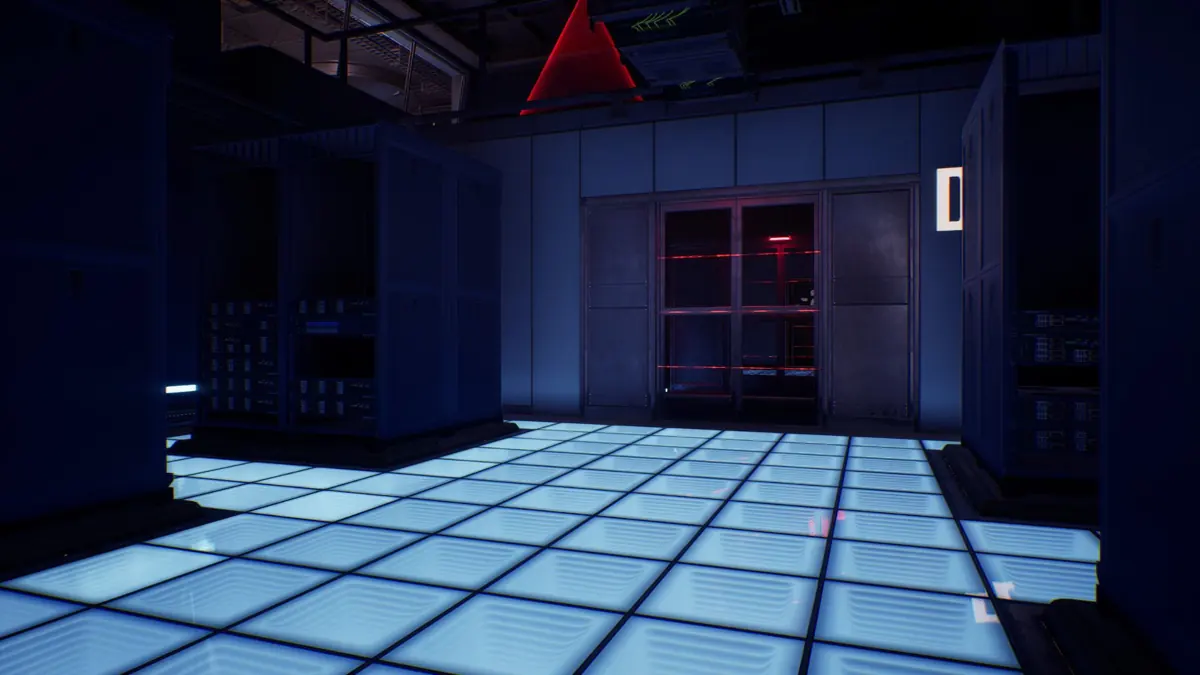
The PAYDAY 3 Syntax Error Red Keycard has three documented spawn spots in the original basement layout: near server room A, to the left of the server analysis computer, or just left of the glass door off the basement entrance corridor. Take the card to the reader for the AI control room. Start with the box closest to where you enter the basement, and use the landmarks below to rule out the other two if it is empty.
Find the three red boxes downstairs
Use the escalator down to the basement as your reference point, then look for the lettered server rooms. The Arqade map of the original layout places all three candidates on this level and describes one card among boxes that can be empty. An early Steam thread with player footage gives you another visual reference for the search. These sources document the original spots; they do not establish that they were retested on a recent patch.
Box beside server room A: Check the short hallway near the door marked A. Read the room letter before checking the wall nearby, since the server doors can look alike when you arrive from another corridor. The box is outside the room, so you can cross it off without getting into the server racks.
Box by the analysis computer: Find the workstation where you bring the removable servers for analysis. Facing the computer, look against the wall on its left; facing the nearby vent instead, look to your right. Use whichever landmark you can actually see, particularly if you arrive from the far end of the basement and the room looks reversed compared with the footage.
Box by the glass door: From the entrance to the downstairs area, take the hallway on the right and look immediately left of the glass door. That door leads into a small room with a route up to the locked room served by the red reader. Check the box on the basement side first so you do not spend time looking upstairs for a downstairs spawn.
The official 3.9 notes also mention an interactable safe code and a keypad marker that appears after the code is found. If you are still looking for a way down, check those prompts before starting the red-box sweep. Getting through the basement keypad and opening the AI control room are separate steps, so progress on one does not tell you whether the other has been done.
Open the AI control room and identify the servers
The official Syntax Error overview puts the crew in Scry Digital's data center following a lead on drone technology. The red card gives you access to the AI control room, where documented stealth runs use a terminal to identify the servers worth checking. Bring the person who picked up the card to the red reader; QR codes and the basement keypad serve different steps.
Read the terminal result before hauling servers across the map. Match the letters it shows to the signs by the server rooms and relay those letters to the crew. A server you can remove from a rack still needs to be matched to the current objective, so confirm what the analysis station accepts before repeating the same trip. Keep the control terminal and the analysis computer straight: one helps you decide where to go, and the other is where you bring the hardware.
Older recordings may also contain instructions you no longer hear. The official 3.4 notes say Shade's line after a player takes down a security room guard was corrected. That change is about the line itself; use the active objective and door prompt to decide what is available, especially if the alarm has changed the contract state.
Check Cerberus Core and your camera skill separately
Cerberus Core is a contract modifier that has been documented resetting hacking Runtimes. Before relying on a loop, check the modifier panel for the runtime override on the contract you actually loaded. A skill tooltip describes the skill itself, so a loop that normally lasts longer can end sooner under a contract override.
The official 3.6 notes moved camera looping to Playback and gave Security Expert camera marking and, when aced, drone hacking. The notes also say players who had either skill equipped might need to add it back manually. Check which skill is equipped before setting out, and use the Skills 2.0 guide if you are rebuilding an older loadout.
Pick what you want to do during the loop before spending a Runtime. Checking a red box and carrying a server bag through the same passage can take different amounts of time, particularly if you stop to read an interaction prompt. Recheck the camera before a teammate follows you instead of treating your first crossing as a signal that it is still safe. The stealth guide covers planning around cameras and other detection mechanics.
Treat the SINS core as a separate objective
SINS is the AI on the map, and its physical core is separate loot. An early creator video and a Steam player report describe a loud run in which the crew shut down SINS before triggering two buttons together. One was behind the core housing and the other was on a shelf in the office with the basement code, behind books.
That is a documented route for those runs, rather than a promise that the core is available in every mode, solo lobby, or favor setup. If you are pursuing the core, confirm the shutdown objective and check that both button prompts are available before splitting up. Opening the control room with the keycard only gets you into the area; check that the core can actually be picked up and that it is secured before counting it.
Recover when the search or objective stalls
If all three boxes look empty, have the crew confirm whether someone already picked up the card and have that player try the reader. In a solo run, check each box again from its landmark rather than repeating the same corridor from a different angle. If the layout or prompts differ, note the contract variant, difficulty, and active objective when comparing your run with early footage.
Once access is open, make the next trip answer one question: which room are we visiting, which server are we testing, or which bag has reached the destination? This helps a second player take over without repeating an analysis or grabbing a server from a room the crew already checked. If the alarm changes the objective, read the new prompt before continuing the stealth route; the heist directory is useful for getting your bearings across contract variants.